Matthew McCullough

Training Innovator, GitHub
Matthew McCullough is an energetic 15 year veteran of enterprise software development, open source education, and co-founder of Ambient Ideas, LLC, a Denver consultancy. Matthew currently is VP of Training at GitHub.com, author of the Git Master Class series for O'Reilly, speaker at over 30 national and international conferences, author of three of the top 10 DZone RefCards, and President of the Denver Open Source Users Group. His current topics of research center around project automation: build tools (Gradle), distributed version control (Git, GitHub), Continuous Integration (Jenkins, Travis) and Quality Metrics (Sonar). Matthew resides in Denver, Colorado with his beautiful wife and two young daughters, who are active in nearly every outdoor activity Colorado has to offer.Presentations
Economic Games in Software Projects
8:30 AM MDT
The full title of this talk reveals its grand aims: Game Theory and Software Development: Explaining Brinksmanship, Irrationality, and Other Selfish Sins
Once in a while, a topic, seemingly orthogonal to software development, presents a great opportunity to showcase how engineering can benefit from knowledge of seemingly more social disciplines. In this talk, the fundamental principles of economics' Game Theory are compared to often inexplicable behaviors and decisions we frequently observe in programming projects.
Then, with a good Game Theory vocabulary under your belt, several standard games are studied in a manner that will allow you to better manipulate the inputs. These games are present in web framework choices, project planning and estimation, and even team decisions on which bug to solve first. With a good understanding of Game Theory, you'll be able to understand and influence what you previously labeled 'irrational behavior.' It turns out to be far from irrational when examined in the context of self-preservation. Once these behaviors are understood, you will be able to ethically influence the outcomes to your personal and corporate advantage.
Sonar: Code Quality Metrics Made Easy
10:30 AM MDT
You're serious about improving the quality of your code base, but with 10,000 lines of code, where do you start and how do you ensure the greatest ROI for the re-work your team members will perform?
Sonar is an open source tool that brings together the best of breed static and dynamic analysis of Java projects. The result is a unified view of problematic areas of your code on a time-line basis, allowing the team to attack the problems with the best ROI, and maintain a more watchful eye for positive and risky trends in the codebase in the future.
This talk will show you Sonar from the ground up and explain 10 critical metrics that affect your code's flexibility, stability, and durability.
Cryptography on the JVM: Boot Camp
1:30 PM MDT
Does your application transmit customer information? Are there fields of sensitive customer data stored in your DB? Can your application be used on insecure networks? If so, you need a working knowledge of encryption and how to leverage Open Source APIs and libraries to make securing your data as easy as possible. Cryptography is quickly becoming a developer's new frontier of responsibility in many data-centric applications.
In today's data-sensitive and news-sensationalizing world, don't become the next headline by an inadvertent release of private customer or company data. Secure your persisted, transmitted and in-memory data and learn the terminology you'll need to navigate the ecosystem of symmetric and public/private key cryptography.
Simpler Cryptography with 3 JVM Libraries
3:15 PM MDT
Cryptography at first seems like a daunting topic. But after a basic intro and the leverage of the Java Cryptography Extension (JCE), it seems downright feasible to add encryption and decryption capabilities to your application.
Developers weren't satisfied with just the JCE and its plug-in concepts though. Over the last few years, framework architects have made strides in either wrapping or re-writing the approachable JCE in more convenient APIs and fluent interfaces that make effective and accurate crypto down right simple.
Explore three of these libraries – Jasypt, BouncyCastle and KeyCzar – and how they can be leveraged to make your next Java cryptography and data security effort a simple exercise and not a tribulation.
Jasypt, BouncyCastle and KeyCzar are three open source frameworks that bring unique new crypto algorithms such as elliptic curve cryptography to the enterprise developer, remove repetitive ceremonious setup and tear down coding, and add high level adapters to the Spring and Hibernate frameworks.
Developer Productivity Power Ups on Mac OSX
8:30 PM MDT
You're a talented coder and you apply many agile practices to your daily workflow. Still, you are looking for that next boost to better keep track of information, manage your open applications, make working with the terminal more productive, recall information quickly, manage files rapidly, and produce documentation in a portable and effective manner.
This presentation will show you how to apply DevonThink, Delicious bookmarks, RSS feeds, Pinboard.in, Pomodoro, Things, LaunchBar, Bash profiles, mind maps, markdown files and spotlight filters to become a more productive developer that has a world of information sorted and accessible at a moment's notice.
This presentation focuses on developers using the Mac platform (though a few tips are portable) since Matthew has significant experience in productivity research on this platform.
Thinking In Git
9:00 AM MDT
Git is an innovative version control system that is taking the development world by storm. With that innovation comes new opportunities to leverage Git for more agile and productive workflows. This presentation steps up a level of abstraction from Git syntax and instead showcases the incredible team, branch and workflow dynamics that are easily accomplished with Git.
This presentation is suited to managers, team leads, and developers who want to understand how the easy branching and simple sharing of Git repositories can lead to “social coding” even amongst team members purely inside an enterprise.
Git Going with Distributed Version Control
11:00 AM MDT
Many development shops have made the leap from RCS, Perforce, ClearCase, PVCS, CVS, BitKeeper or SourceSafe to the modern Subversion (SVN) version control system. But why not take the next massive stride in productivity and get on board with Git, a distributed version control system (DVCS). Jump ahead of the masses staying on Subversion, and increase your team's productivity, debugging effectiveness, flexibility in cutting releases, and repository redundancy at $0 cost. Understand how distributed version control systems are game-changers and pick up the lingo that will become standard in the next few years.
In this talk, we discuss the team changes that liberate you from the central server, but still conform to the corporate expectation that there's a central master repository. You'll get a cheat sheet for Git, and a trail-map from someone who's actually experienced the Subversion to Git transition.
Lastly, we'll even expose how you can leverage 75% of Git's features against a Subversion repository without ever telling your bosses you are using it. Be forewarned that they may start to wonder why you are so much more effective in your checkins than other members of your team.
Git Workshop
1:30 PM MDT
Git is a version control system you may have been hearing a bit about lately. But simply hearing more about it may not be enough to convince you of its value. Getting hands on experience is what really counts. In this workshop, you'll bring your Windows, Mac or Linux laptop and walk through downloading, installing, and using Git in a collaborative fashion.
The workshop style of this class will allow you to observe and discover the value of this new version control tool first hand. You'll be cloning, creating, commiting, and pushing repositories by the conclusion of this session.
Jenkins Continuous Integration in Action
9:00 AM MDT
The team dynamics and agile process revolution of the last several years has taught us that continuous integration (CI) is a necessary part of a healthy agile team. Jenkins (formerly Hudson) is the idea and footprint leader in the CI space. A recent survey stated that over 70% of all CI installations have Jenkins in their DNA. What's so awesome about this particular CI tool?
Get on board with a ground-up survey of how to install, apply, upgrade, and leverage the free an open source Jenkins Continuous Integration server for your build, whether it be Ant, Maven, Gradle, JavaScript, Rake, or just shell scripts.
In this presentation, you'll learn how to add plugins for additional build and analysis phases, how to cluster Jenkins on a subnet for a swarm of CI servers that automatically load balance and collate reports, and lastly, how to manage Jenkins on a disparate set of OSes to natively test your unit and integration tests on all your supporter platforms.
Jenkins Continuous Integration in Action
10:45 AM MDT
The team dynamics and agile process revolution of the last several years has taught us that continuous integration (CI) is a necessary part of a healthy agile team. Jenkins (formerly Hudson) is the idea and footprint leader in the CI space. A recent survey stated that over 70% of all CI installations have Jenkins in their DNA. What's so awesome about this particular CI tool?
Get on board with a ground-up survey of how to install, apply, upgrade, and leverage the free an open source Jenkins Continuous Integration server for your build, whether it be Ant, Maven, Gradle, JavaScript, Rake, or just shell scripts.
In this presentation, you'll learn how to add plugins for additional build and analysis phases, how to cluster Jenkins on a subnet for a swarm of CI servers that automatically load balance and collate reports, and lastly, how to manage Jenkins on a disparate set of OSes to natively test your unit and integration tests on all your supporter platforms.
Books
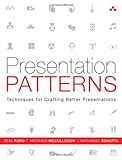
Presentation Patterns: Techniques for Crafting Better Presentations
by Neal Ford, Matthew McCullough, and Nathaniel Schutta
Presentation Patterns is the first book on presentations that categorizes and organizes the building blocks (or patterns) that you’ll need to communicate effectively using presentation tools like Keynote and PowerPoint.
Patterns are like the lower-level steps found inside recipes; they are the techniques you must master to be considered a master chef or master presenter. You can use the patterns in this book to construct your own recipes for different contexts, such as business meetings, technical demonstrations, scientific expositions, and keynotes, just to name a few.
Although there are no such things as antirecipes, this book shows you lots of antipatterns—things you should avoid doing in presentations. Modern presentation tools often encourage ineffective presentation techniques, but this book shows you how to avoid them.
Each pattern is introduced with a memorable name, a definition, and a brief explanation of motivation. Readers learn where the pattern applies, the consequences of applying it, and how to apply it. The authors also identify critical antipatterns: clichés, fallacies, and design mistakes that cause presentations to disappoint. These problems are easy to avoid—once you know how.
Presentation Patterns will help you
- Plan what you’ll say, who you’ll say it to, how long you’ll talk, and where you’ll present
- Perfectly calibrate your presentation to your audience
- Use the storyteller’s “narrative arc” to full advantage
- Strengthen your credibility—and avoid mistakes that hurt it
- Hone your message before you ever touch presentation software
- Incorporate visuals that support your message instead of hindering it
- Create highly effective “infodecks” that work when you’re not able to deliver a talk in person
- Construct slides that really communicate and avoid “Ant Fonts,” “Floodmarks,” “Alienating Artifacts,” and other errors
- Master 13 powerful techniques for delivering your presentation with power, authority, and clarity
Whether you use this book as a handy reference or read it from start to finish, it will be a revelation: an entirely new language for systematically planning, creating, and delivering more powerful presentations. You’ll quickly find it indispensable—no matter what you’re presenting, who your audiences are, or what message you’re driving home.

Jenkins: The Definitive Guide
by John Ferguson Smart
Streamline software development with Jenkins, the popular Java-based open source tool that has revolutionized the way teams think about Continuous Integration (CI). This complete guide shows you how to automate your build, integration, release, and deployment processes with Jenkins—and demonstrates how CI can save you time, money, and many headaches.
Ideal for developers, software architects, and project managers, Jenkins: The Definitive Guide is both a CI tutorial and a comprehensive Jenkins reference. Through its wealth of best practices and real-world tips, you'll discover how easy it is to set up a CI service with Jenkins.
- Learn how to install, configure, and secure your Jenkins server
- Organize and monitor general-purpose build jobs
- Integrate automated tests to verify builds, and set up code quality reporting
- Establish effective team notification strategies and techniques
- Configure build pipelines, parameterized jobs, matrix builds, and other advanced jobs
- Manage a farm of Jenkins servers to run distributed builds
- Implement automated deployment and continuous delivery

Building and Testing with Gradle
by Tim Berglund and Matthew McCullough
Build and test software written in Java and many other languages with Gradle, the open source project automation tool that’s getting a lot of attention. This concise introduction provides numerous code examples to help you explore Gradle, both as a build tool and as a complete solution for automating the compilation, test, and release process of simple and enterprise-level applications.
Discover how Gradle improves on the best ideas of Ant, Maven, and other build tools, with standards for developers who want them and lots of flexibility for those who prefer less structure.
- Use Gradle with Groovy, Clojure, Scala, and languages beyond the JVM, such as Flex and C
- Get started building a simple Java program using Gradle's command line tooling and a small build script
- Learn how to configure and construct tasks, Gradle's fundamental unit of build activity
- Take advantage of Gradle's integration with Ant
- Use Gradle to integrate with or transition from Maven, and to build software more cleanly
- Perform application unit and integration tests using JUnit, TestNG, Spock, and Geb