Chat is one of the most canonical sample to explain WebSocket. Its a fairly commonly used interface and allows to explain the fundamental WebSocket concepts very easily. Of course, Java EE 7 WebSocket has one too, available here! You can easily run it on WildFly using the following steps:
curl -O http://download.jboss.org/wildfly/8.1.0.Final/wildfly-8.1.0.Final.zip
unzip wildfly-8.1.0.Final.zip
./wildfly-8.1.0.Final/bin/standalone.sh
git clone https://github.com/javaee-samples/javaee7-samples.git
cd javaee7-samples
mvn -f websocket/chat/pom.xml wildfly:deploy
And then access it at http://localhost:8080/chat/.
One of the biggest advantage of WebSocket is how it opens up a socket over the same port as HTTP, 8080 in this case. If you want to deploy this application to OpenShift, then WebSocket is available on port 8000 for regular access, and 8443 for secure access. This is explained in the figure below:

If you want to run this Chat application on OpenShift, then use the following steps:
- Click here to provision a WildFly instance in OpenShift. Change the name to “chatserver” and everything else as default. Click on “Create Application” to create the application.
- Clone the workspace:
git clone ssh://544f08a850044670df00009e@chatserver-milestogo.rhcloud.com/~/git/chatserver.git/
- Edit the first line of “javaee7-samples/websocket/chat/src/main/webapp/websocket.js”from:
var wsUri = "ws://" + document.location.hostname + ":" + document.location.port + document.location.pathname + "chat";
to
var wsUri = "ws://" + document.location.hostname + ":8000" + document.location.pathname + "chat";
- Create the WAR file:
cd javaee7-samples
mvn -f websocket/chat/pom.xml
- Copy the generated WAR file to the workspace cloned earlier:
cd ..
cp javaee7-samples/websocket/chat/target/chat.war chatserver/deployments/ROOT.war
- Remove existing files and add the WAR file to git repository:
cd chatserver
git rm -rf src pom.xml
git add deployments/ROOT.war
git commit . -m"updating files"
git push
And this shows the output as:
Counting objects: 6, done.
Delta compression using up to 8 threads.
Compressing objects: 100% (4/4), done.
Writing objects: 100% (4/4), 6.88 KiB | 0 bytes/s, done.
Total 4 (delta 1), reused 0 (delta 0)
remote: Stopping wildfly cart
remote: Sending SIGTERM to wildfly:285130 ...
remote: Building git ref 'master', commit 05a7978
remote: Preparing build for deployment
remote: Deployment id is 14bcec20
remote: Activating deployment
remote: Deploying WildFly
remote: Starting wildfly cart
remote: Found 127.2.87.1:8080 listening port
remote: Found 127.2.87.1:9990 listening port
remote: /var/lib/openshift/544f08a850044670df00009e/wildfly/standalone/deployments /var/lib/openshift/544f08a850044670df00009e/wildfly
remote: /var/lib/openshift/544f08a850044670df00009e/wildfly
remote: CLIENT_MESSAGE: Artifacts deployed: ./ROOT.war
remote: -------------------------
remote: Git Post-Receive Result: success
remote: Activation status: success
remote: Deployment completed with status: success
To ssh://544f08a850044670df00009e@chatserver-milestogo.rhcloud.com/~/git/chatserver.git/
454bba9..05a7978  master -> master
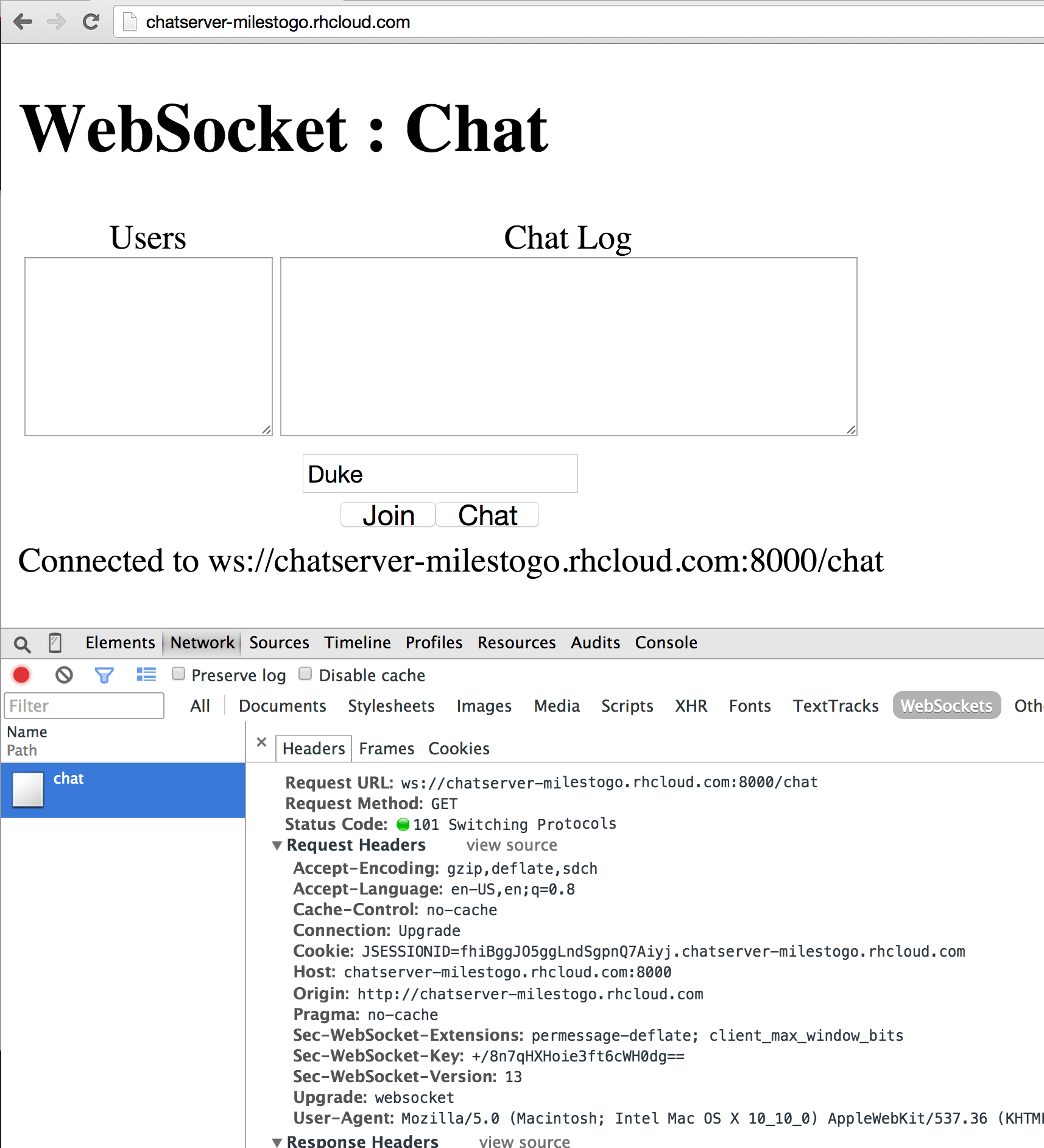
And now your chat server is available at: http://chatserver-milestogo.rhcloud.com and looks like:
Enjoy!